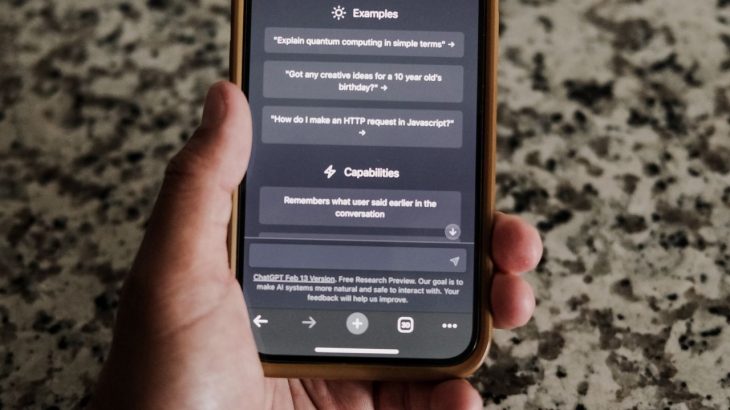
AI assistants like ChatGPT have become everyday tools for drafting emails, analysing data, writing code, and speeding up research. But every time an employee pastes information into a chat window, that data leaves the organisation’s direct control and that’s where the risk begins.
Data leakage occurs when confidential information is exposed to someone who shouldn’t see it, whether by accident or design. With AI tools, this often happens in the most mundane way possible: an employee pastes a customer record, a contract, a snippet of source code, or an internal report into a prompt, without realising where that data might end up.
The tools aren’t inherently the problem. The real gap is that most employees have never been told, clearly, what’s safe to share with an AI and what isn’t. Closing that gap takes a mix of policy, training, and technical controls.
1. Write an AI Usage Policy People Will Actually Read
Start with a policy that spells out which AI tools are approved, what employees can safely input, and what’s off-limits in plain language, not legal boilerplate. Include real examples: “you can ask ChatGPT to summarise this public press release” versus “you cannot paste this client contract.” The policy should also give employees a clear path for reporting a suspected leak, so mistakes surface quickly instead of getting buried.
2. Classify What Counts as Sensitive
Employees can’t protect what they can’t recognise. Make explicit which categories of information should never go into a public AI tool:
- Personally identifiable information (PII)
- Customer and employee records
- Financial data
- Passwords and credentials
- Source code and technical documentation
- Trade secrets and intellectual property
- Confidential contracts and legal documents
- Unreleased business strategy
- Logs containing sensitive data
A short reference list like this turns a vague policy into something employees can apply in the moment, without having to ask.
3. Train Continuously, Not Annually
One long training session a year rarely changes behaviour. Short, recurring sessions, even five minutes in a team meeting, do more to keep AI risks front of mind. Cover the basics: recognising phishing, securing accounts, avoiding sketchy browser extensions. Increasingly, it also covers prompt injection, where hidden instructions embedded in a document or webpage manipulate an AI system or hijack how it processes connected data.
4. Back Policy with Technical Controls
Policy and training reduce risk; technical controls catch what slips through. Data Loss Prevention (DLP) tools can flag or block sensitive data before it reaches an unauthorised AI service. Pair this with multi-factor authentication, encryption, endpoint protection, and SIEM monitoring to strengthen the overall posture. Where feasible, monitor generative AI usage directly and flag anomalies for review.
5. Limit Access by Default
Give employees access only to what their role requires. This principle of least privilege matters as much for AI integrations as it does for databases and file shares; if an account is compromised or data is accidentally exposed, tight access limits contain the blast radius. For your most sensitive systems, consider just-in-time access instead of standing permissions.
6. Track Third-Party AI Integrations
The risk doesn’t stop at the chatbot window. Employees increasingly connect AI tools to cloud storage, email, CRMs, and dev environments; each connection is a new potential exposure point. Keep an inventory of approved tools and integrations, review permissions regularly, vet vendors before approving new connections, and revoke access that’s no longer needed. Do this transparently, with privacy safeguards in place, rather than through covert surveillance.
7. Have an AI-Specific Incident Response Plan
Assume a leak will eventually happen, and plan for it. Your response plan should cover how to identify what was exposed, contain further spread, determine who accessed it, notify the right stakeholders, and take corrective action then feed lessons learned back into your policies and training.
The Bottom Line
There’s no single control that eliminates AI-related data leakage. It takes a layered approach: clear policy, sensible classification, ongoing training, technical safeguards, tight access control, integration oversight, and a response plan for when things go wrong.
The one principle worth repeating to every employee: if it’s confidential, don’t assume it’s safe to paste into an AI tool. Organisations that internalise this can capture the real productivity gains of generative AI without gambling their most sensitive data on it.
Monitoring Remote Sessions
Security monitoring is crucial for preventing ransomware attacks as it enables early detection, identification of vulnerabilities, monitoring for anomalies, data protection, and compliance with regulatory requirements.
RecordTS will record Windows remote sessions reliably and securely for RDS, Citrix, Azure and VMware systems. Scalable from small offices with one server to enterprise networks with tens of thousands of desktops and servers, RecordTS integrates seamlessly with the native environment.